Is it normal for the screen board to make a constant high pitched buzzing noise? No A/V signal coming in, just the power plugged in and the speakers unplugged, even.
Also, I can't seem to get audio out of it, and I don't know if this is related or not.
PSone screen buzz
Moderator: Moderators
-
lovablechevy
- Portablizer Extraordinaire
- Posts: 1104
- Joined: Wed Nov 01, 2006 3:09 pm
- Location: busy with a project
- Contact:
Re: PSone screen buzz
do you still have the original tube lighting it? the screen is known to give off a sound when power is going to it.
they call me the Queen of Bondo, though maybe i should be called the Queen of Epoxy Putty
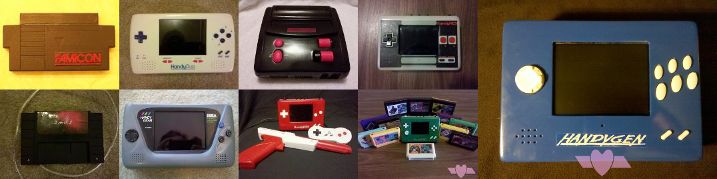
current project - code name: blue mushroom!
current project - code name: blue mushroom!
Re: PSone screen buzz
I have not done any mods to it. So it's just the light that buzzes? It always makes me think that something's shorting or loose.
Re: PSone screen buzz
Okay, the buzzing doesn't really bother me so much as the sound not working.
I tried following the traces and attaching a speaker at the nearest component bridge, but still no sound. Does anyone have a chart of alternative audio traces I can wire to besides the speaker ports?
I tried following the traces and attaching a speaker at the nearest component bridge, but still no sound. Does anyone have a chart of alternative audio traces I can wire to besides the speaker ports?
-
Goldstubble
- Posts: 16
- Joined: Tue Jun 22, 2010 4:00 pm
Re: PSone screen buzz
Here is a question for you: are you planning on using headphones? If not, you can connect the HP_R, HP_S, and HP_L pads on the back of the board near the bottom. If you hadn't done this already, I believe your board won't output audio.
If you are planning on using headphones, I suggest investigating into this (I'm not using headphones, so I'm no expert). I'm sure someone around here knows the proper way to hook up a headphone jack.
If you have already connected the HP pads, then I'll just give you some pics.
Here is a pinout by Erlex:
Here is a pinout by Zenloc:
If you are planning on using headphones, I suggest investigating into this (I'm not using headphones, so I'm no expert). I'm sure someone around here knows the proper way to hook up a headphone jack.
If you have already connected the HP pads, then I'll just give you some pics.
Here is a pinout by Erlex:
- ps1 screen pins - Erlex.jpg (248.03 KiB) Viewed 6662 times
- psone screen - zenloc 2.jpg (253.41 KiB) Viewed 6662 times
Re: PSone screen buzz
So what you're saying is that if the headphone connections aren't grounded or connected, no audio will come out at all? I'm not sure I understand that.
-
Goldstubble
- Posts: 16
- Joined: Tue Jun 22, 2010 4:00 pm
Re: PSone screen buzz
Don't ground them, btw.Kyo's Site wrote:If you are not going to use the headphone jack, you need to solder the headphone left, right and switch (pin 5,6,7 on the right connector - the one with 10 pins) together. This is because the headphone switch (which detects if a headphone is inserted) otherwise thinks you're listening to headphones and the screen will not give you sound.
That's from this page: http://kyorune.com/modding/article.php?id=17" onclick="window.open(this.href);return false;
Also, near the bottom of this page, you'll find how to hook up headphones.
Re: PSone screen buzz
I would assume that having the switch disconnected or not grounded would be the same as not having headphones in.
I bought another screen, but I'd just rather not throw this thing away so readily.
EDIT
Nevermind, I read the part you pointed out, and now it all makes sense. I wired the headphone connections all together, but the sound is still coming out of the headphone connection(s) (Now that I know where to check for sound).
I bought another screen, but I'd just rather not throw this thing away so readily.
EDIT
Nevermind, I read the part you pointed out, and now it all makes sense. I wired the headphone connections all together, but the sound is still coming out of the headphone connection(s) (Now that I know where to check for sound).