PSOne LCD Pinout

If you're making a portable you probably need something to watch it on. (Unless you want to guess what's happening in the game, but I wouldn't advise that) Anyway, this forum is your "Hacking a pocket TV/screen" one-stop solution. Share your experiences and knowledge here.

Moderator: Moderators

MR.MOD
Posts: 219
Joined: Mon Apr 05, 2004 6:19 am
Location: Minnesota

Post by MR.MOD »

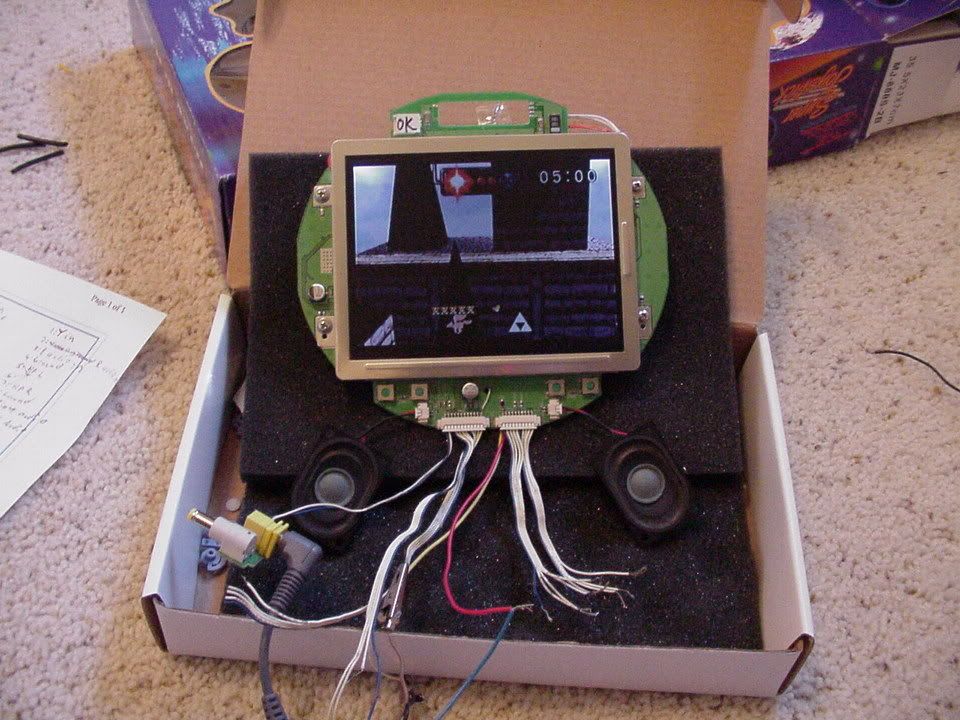
I got my screen working! :D :D :D
I'm going to make a pdf that I'll post in an hour.
Image
gannon
Moderator
Posts: 6974
Joined: Sun Apr 04, 2004 4:48 pm
Location: Near that one big lake
Contact:

Post by gannon »

Great! I'll be sure to add the info to Doomportables later!
MR.MOD
Posts: 219
Joined: Mon Apr 05, 2004 6:19 am
Location: Minnesota

Post by MR.MOD »

Here it is Image

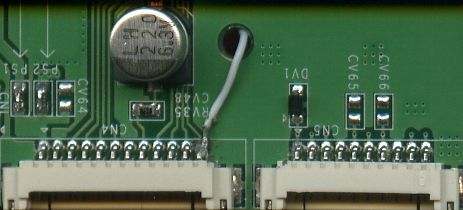
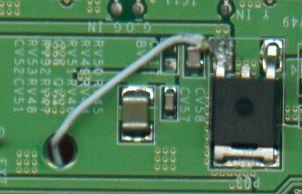
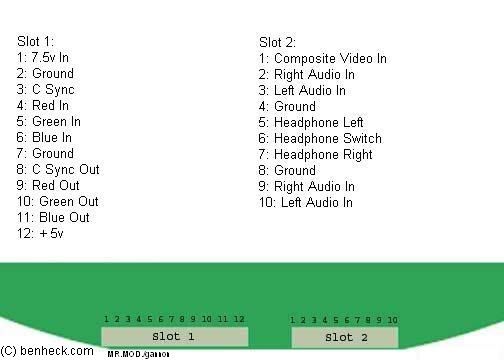
The 12th pin on the first slot needs 5v so the screen will turn on. You'll need to solder a wire from the 12th pin to the 5v leg on the 7805 regulator. Image
Image

If you arn't going to hook up a headphone jack you'll need to connect all of the headphone wires together.
You only can hook up composite video to the 2nd slot. It won't work if you connect it to the sync line. I haven't tested the sync out line but I'm pretty sure it's sync out.
Image
gannon
Moderator
Posts: 6974
Joined: Sun Apr 04, 2004 4:48 pm
Location: Near that one big lake
Contact:

Post by gannon »

Ok, I'll test this with my lcd tonight, and try it out with rgb too.
MR.MOD
Posts: 219
Joined: Mon Apr 05, 2004 6:19 am
Location: Minnesota

Post by MR.MOD »

Image
Image
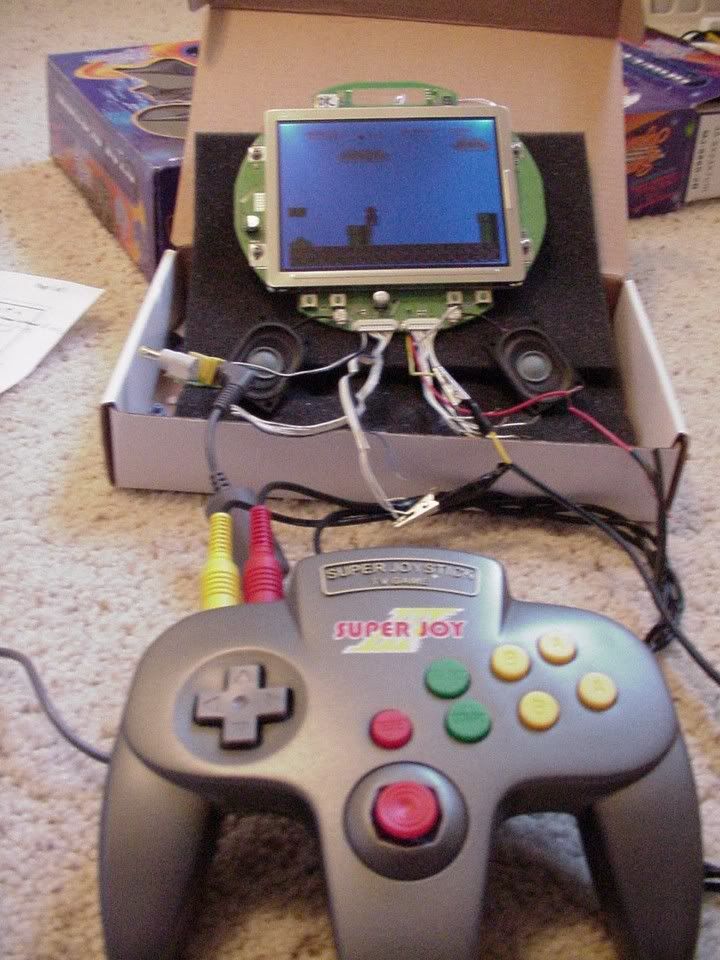
It works :D :D :D :D

I tried rgb with my old snes and it kinda worked but I didn't use any caps on the rgb lines so it was kinda wacky.
Image
gannon
Moderator
Posts: 6974
Joined: Sun Apr 04, 2004 4:48 pm
Location: Near that one big lake
Contact:

Post by gannon »

I still find it odd that the luma input is actually composite, although I guess if it works who cares! :D
MR.MOD
Posts: 219
Joined: Mon Apr 05, 2004 6:19 am
Location: Minnesota

Post by MR.MOD »

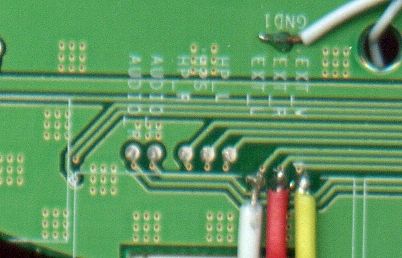
The luma isn't composite. The screen uses the psone's luma as sync. If you tried composite on the 3rd connection of the 1st connector it wouldn't work but c sync works there. I got my composite off the 2nd slot 1 connection. It is used for like connecting a camcorder or anything else composite. Here is where I wired my composite, left and right audio. Image

yellow-video, red-right, white-left.

You can also connect the 3 other pads together unless your going to use a headphones jack wired correctly to it. the hp_r hp_s hp_L just short them together.
Last edited by MR.MOD on Mon Sep 06, 2004 2:14 pm, edited 1 time in total.
Image
gannon
Moderator
Posts: 6974
Joined: Sun Apr 04, 2004 4:48 pm
Location: Near that one big lake
Contact:

Post by gannon »

oh, so you're actually using the mini-jack input for video and audio?
MR.MOD
Posts: 219
Joined: Mon Apr 05, 2004 6:19 am
Location: Minnesota

Post by MR.MOD »

yes, but I'm not using the jack but wires that were conected to it on the lcd controller pcb. There is no other composite connection.
Image
pjmk
Posts: 54
Joined: Sun Jun 13, 2004 1:22 am

Post by pjmk »

A quick question, So to connect a system to the Psone screen I need to connect the systems red, green, and composite out to the screens' red, green, blue, and composite in? Thx a lot in advance
pjmk
Posts: 54
Joined: Sun Jun 13, 2004 1:22 am

Post by pjmk »

A quick question, So to connect a system to the Psone screen I need to connect the systems red, green, and composite out to the screens' red, green, blue, and composite in? Thx a lot in advance
MR.MOD
Posts: 219
Joined: Mon Apr 05, 2004 6:19 am
Location: Minnesota

Post by MR.MOD »

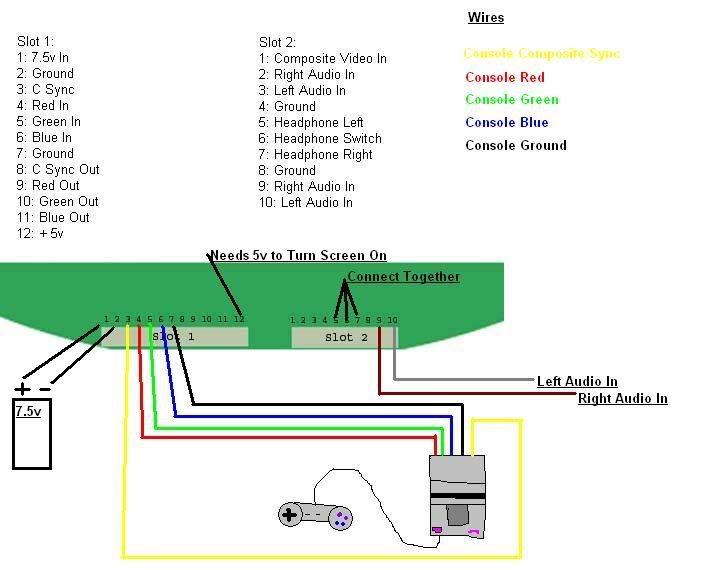
This is how you would hook up a console with rgb to the screen.
Image


You should check at www.gamesx.com first to see if you need to do anything to the console to get rgb.

If you arn't going to use rgb just hook it up like this.
Image

Yellow-Composite Video
Red-Right Audio
White-Left Audio
Make sure you connect the consoles ground to the screen too.
Image
pjmk
Posts: 54
Joined: Sun Jun 13, 2004 1:22 am

Post by pjmk »

Thanks a lot. Also, on the playstation to get RGB video would you connect the video to the c sync (I THINK sync is in the ntsc pin).
segasonicfan
Moderator
Posts: 516
Joined: Fri Jul 23, 2004 3:57 am

Post by segasonicfan »

So far Mr. Mod looks right. I check the lines myself and verified slot 1 #s 1-6 and slot 2 #s 9 and 10 which is all i need :)

Has anyone tried removing the 7805 chips in there? I'm wondering if it would be better to use a DC-DC converter instead...

-Segasonicfan
MR.MOD
Posts: 219
Joined: Mon Apr 05, 2004 6:19 am
Location: Minnesota

Post by MR.MOD »

pjmk wrote:Thanks a lot. Also, on the playstation to get RGB video would you connect the video to the c sync (I THINK sync is in the ntsc pin).
I would use the s video y as the sync cause that's what the screen normaly uses. Check http://www.gamesx.com/avpinouts/psxav.htm

for more info
Image
Post Reply