Alright I've purchased a specific controller for my n64p so I can replace the joystick on it.
LINKY
I opened up the controller to find that there are only 4 cords coming out of the joystick. I though there was supposed to be 5. One for left, right, up, down , and ground. So What's going on here, I looked at the controller mobo and there's no ground next to it or anything.
So what gives?
Or can I just solder the 4 directions to the corresponding spots on the controller and just solder ground to the ground that buttons use?
Joystick replacement question! (guide on page 2)
Moderator: Moderators
-
thewise1
- Portablizer Extraordinaire
- Posts: 1413
- Joined: Sun Jan 04, 2009 8:18 pm
- Location: Sitting on my pile of authentic minnesota dirt
Joystick replacement question! (guide on page 2)
Last edited by thewise1 on Sat Feb 21, 2009 11:26 am, edited 3 times in total.

-
ShockSlayer
- Niblet 64
- Posts: 5059
- Joined: Thu Jun 29, 2006 12:47 pm
- Location: In my inbox.
Re: Joystick replacement question!
http://forums.benheck.com/viewtopic.php?f=5&t=16485
That is how I did it. Do you still have the original joystick + board? You should be able to desolder the cstick and the other control stick and then just drop it right in.
That is how I did it. Do you still have the original joystick + board? You should be able to desolder the cstick and the other control stick and then just drop it right in.
http://twitter.com/ShockSlayer" onclick="window.open(this.href);return false;
-
thewise1
- Portablizer Extraordinaire
- Posts: 1413
- Joined: Sun Jan 04, 2009 8:18 pm
- Location: Sitting on my pile of authentic minnesota dirt
Re: Joystick replacement question!
Ok thanks ss, BTW, I'm actually using a ps2 controller joystick, I broke my c-stick 
And I don't really want to destroy another gamecube controller.
Thanks though for the guide/pic!
And I don't really want to destroy another gamecube controller.
Thanks though for the guide/pic!
-
thewise1
- Portablizer Extraordinaire
- Posts: 1413
- Joined: Sun Jan 04, 2009 8:18 pm
- Location: Sitting on my pile of authentic minnesota dirt
Re: Joystick replacement question!
GAH IT'S NOT WORKING!!!
I tried all different methods, First I did it your way SS, I attached it exactly the way the old one was connected. It didn't worked so I soldered the other 2 to ground, even though I was sure I got it right. Still nothing. Then I soldered each direction to the 4 pads and ground to the ground of the buttons. NOTHING IS WORKING!!!
I hope it's not because I'm using a ps2 joystick, but nearly certain that that's not why it won't work.
I tried all different methods, First I did it your way SS, I attached it exactly the way the old one was connected. It didn't worked so I soldered the other 2 to ground, even though I was sure I got it right. Still nothing. Then I soldered each direction to the 4 pads and ground to the ground of the buttons. NOTHING IS WORKING!!!
I hope it's not because I'm using a ps2 joystick, but nearly certain that that's not why it won't work.
-
thewise1
- Portablizer Extraordinaire
- Posts: 1413
- Joined: Sun Jan 04, 2009 8:18 pm
- Location: Sitting on my pile of authentic minnesota dirt
Re: Joystick replacement question! (EDIT: IT'S NOT WORKING!)
Hmmmmm, it's may be because it's a different kind of pot, I'll have to try some other methods for a ps2 controller.
EDIT: I just tried it with a third party gamecube controller c stick, still nothing. What am I doing wrong, can someone show me how they did theirs?
EDIT: I just tried it with a third party gamecube controller c stick, still nothing. What am I doing wrong, can someone show me how they did theirs?
-
ShockSlayer
- Niblet 64
- Posts: 5059
- Joined: Thu Jun 29, 2006 12:47 pm
- Location: In my inbox.
Re: Joystick replacement question! (EDIT: IT'S NOT WORKING!)
To be honest, not many people have actually had pics of when they did it.
Just try using an original gamecube cstick, the other two most likely have different POT values.
SS
Just try using an original gamecube cstick, the other two most likely have different POT values.
SS
http://twitter.com/ShockSlayer" onclick="window.open(this.href);return false;
-
thewise1
- Portablizer Extraordinaire
- Posts: 1413
- Joined: Sun Jan 04, 2009 8:18 pm
- Location: Sitting on my pile of authentic minnesota dirt
Re: Joystick replacement question! (EDIT: IT'S NOT WORKING!)
I wish I could use an official one, but there both my brothers, I only own third party wireless ones. And I don't have the tri-wing screw driver so I can't get it open without destroying it.
I really don't see why it wouldn't work, it may have different values, but it's still a potentiometer. So frustrating.
I really don't see why it wouldn't work, it may have different values, but it's still a potentiometer. So frustrating.
-
ShockSlayer
- Niblet 64
- Posts: 5059
- Joined: Thu Jun 29, 2006 12:47 pm
- Location: In my inbox.
Re: Joystick replacement question! (EDIT: IT'S NOT WORKING!)
Well, simply put, if the controller reads:
15(max left) 0(neutral) -15(max right) and you give it
50(max left) 40(neutral) 30(max right)
Then its not going to work. Post some pictures of your setup.
SS
15(max left) 0(neutral) -15(max right) and you give it
50(max left) 40(neutral) 30(max right)
Then its not going to work. Post some pictures of your setup.
SS
http://twitter.com/ShockSlayer" onclick="window.open(this.href);return false;
-
thewise1
- Portablizer Extraordinaire
- Posts: 1413
- Joined: Sun Jan 04, 2009 8:18 pm
- Location: Sitting on my pile of authentic minnesota dirt
Re: Joystick replacement question! (EDIT: IT'S NOT WORKING!)
Well I don't really know what you mean by SETUP, but I guess you mean the controller. I should be able to get some up in 5 mins or something.
-
thewise1
- Portablizer Extraordinaire
- Posts: 1413
- Joined: Sun Jan 04, 2009 8:18 pm
- Location: Sitting on my pile of authentic minnesota dirt
Re: Joystick replacement question! (EDIT: IT'S NOT WORKING!)
I guess I forgot to mention that I have a third party ps2 controller as well. I don't really know much about potentiometers though. I might end up using the joystick that came with the controller. But ONLY if I can't get this to work.
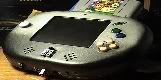
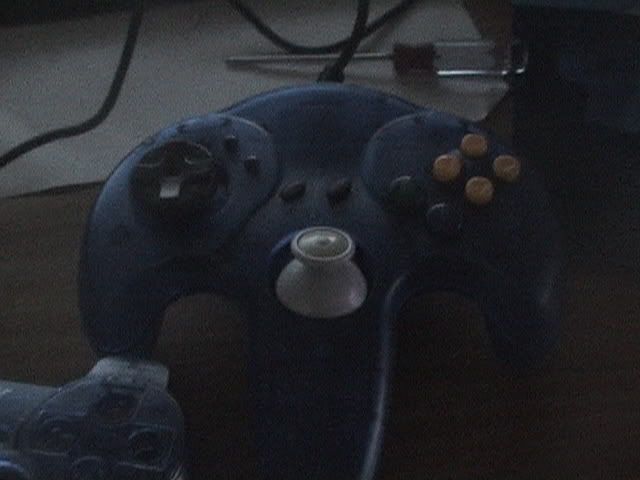
Pic of the n64 controller, currently has the madcatz gamecube joystick in it.
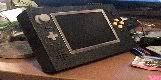
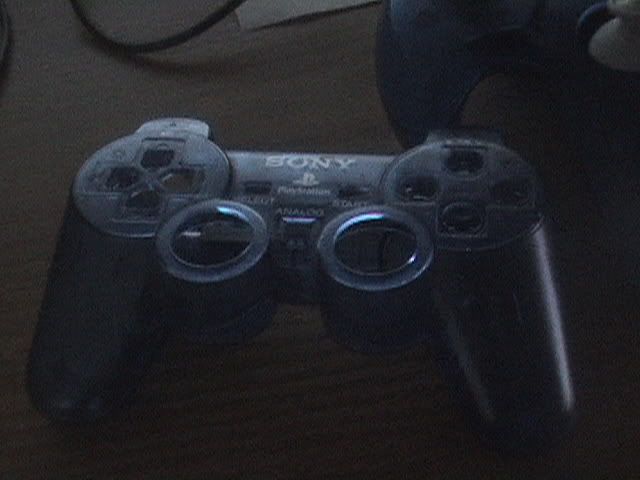
Pic of ps2 controller that the joysticks were pulled from.
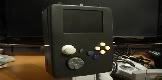
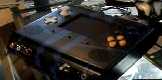
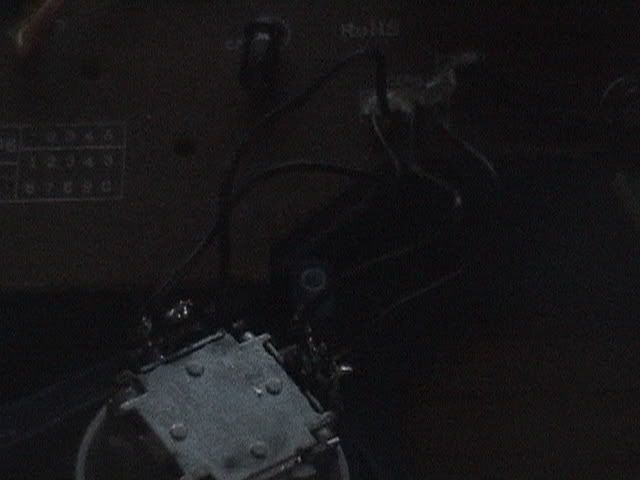
Here's the joystick wired up
Pic of the n64 controller, currently has the madcatz gamecube joystick in it.
Pic of ps2 controller that the joysticks were pulled from.
Here's the joystick wired up
Re: Joystick replacement question! (EDIT: IT'S NOT WORKING!)
I think the four points correspond to x, y, V+, and COM. You attach one end of the pot to V+ and the other to ground. Middle goes to the axis.
-
thewise1
- Portablizer Extraordinaire
- Posts: 1413
- Joined: Sun Jan 04, 2009 8:18 pm
- Location: Sitting on my pile of authentic minnesota dirt
Re: Joystick replacement question! (EDIT: IT'S NOT WORKING!)
Yeah I was thinking of trying it that way. Now t a very good chance through since I'm guessing here.
-
thewise1
- Portablizer Extraordinaire
- Posts: 1413
- Joined: Sun Jan 04, 2009 8:18 pm
- Location: Sitting on my pile of authentic minnesota dirt
Re: Joystick replacement question! (EDIT: IT'S NOT WORKING!)
It didn't work, big surprise. This shouldn't be this hard to get a simple joystick mod to work, I think I'll just ask my bro for his official one and tear through those tri wing screws with a dremel. Much simpler.
-
thewise1
- Portablizer Extraordinaire
- Posts: 1413
- Joined: Sun Jan 04, 2009 8:18 pm
- Location: Sitting on my pile of authentic minnesota dirt
Re: Joystick replacement question! (EDIT: IT'S NOT WORKING!)
Alright now I'm really confused.
I was able to open up an official nintendo controller without tearing it up, just using a small flathead in the triwing.
I got the c stick, and wired it directly to the board exactly as you described, still nothing. Then I soldered them through the old pots to see if that would work, and it didn't.
Now I'm utterly confused, I can't possibly figure out what I'm doing wrong. The original still works, but not the official GC one.
I was able to open up an official nintendo controller without tearing it up, just using a small flathead in the triwing.
I got the c stick, and wired it directly to the board exactly as you described, still nothing. Then I soldered them through the old pots to see if that would work, and it didn't.
Now I'm utterly confused, I can't possibly figure out what I'm doing wrong. The original still works, but not the official GC one.
Re: Joystick replacement question! (EDIT: NOW I'm confused)
The only thing I can guess is there's something wrong with your actual controller. Does it work with the original joystick?
