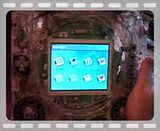
One large progress post, this site wasn't up yesterday or the day before (usual problems I guess). I had to make this log in Notebook and copy into the forum when the site was up again!
Corners done, all smooth. It doesn't matter that it looks "layered", this will be concealed with the "wallpaper" top.

I had to put in a couple more screw positions on the back of the case to keep in completely flat against the sides.
Final pic before I start with the case topping:

Yes, everything seems complete with the system now, it is a matter now of starting to make it look pretty. I will leave covering the back until last as it is handy at the moment to check how things are inside when I rotate the screen.
I need to know where the existing tact switches are so I can cut out appropriate holes in the mounting board. I do this with a CD marker pen on a piece of spare acetate I have lying about. I moved the acetate off the system in the pic so you can see it.

I cut out a piece of mounting board a couple of inches larger than I need, and marked out the center of it (where the screen will go). I tried before to use a standard school type compass but it was very hard to get a circle accurately - just as I remembered from the mid 70's when I used one at school.
At a recent car boot sale, I bought a compass navy captains use to plot their ship's course on maps - a proper one - these use a metal screw to adjust the distance between the two ends. I bought it for just £1, with this project in mind!
The two ends of the ship's compass are blunt, so I drilled a small hole in a piece of spare perspex and hot glued it in place in the centre of the mounting card and hot glued a craft knife to the other end.

...and started to cut out a circle, cutting through the mounting board...

I ended up with a perfect circle, no fuzzy bits. Worked like a charm!


Cut-out done for the screen, glued (general purpose UHU glue) to the perspex above the screen.

I put the acetate trace and put it on the mounting board

This is not final, there will be a thick paper covering over the top. You can see how much nicer the turning circle is now. The card is bigger than the system, it will be smaller than this!
It is glued in place, looks nice. The area around the D-pad will be covered by the thick paper, if you remember, I made the D-pad surround the same height as the mounting board (otherwise the D-pad cross would be too recessed to use properly).

Another view:

I had to move the cut-out a bit, so I could rotate the screen fine. It rotates fine, sticks slightly but only slightly (the mounting board is very tight), but rotates fine, and stays in place nicely when done. I just rotated the screen four times to check all ok before the glue finally sets.
That's better, fairly crudely cut the excess mounting board from the case, when the system was upside down. It doesn't matter that the edges are a little rough, bear in mind there will be another layer on top of this before it finishes.

Speaker grills - rather than the normal perf-produced holes, or speaker grills, I thought it funky to have the speaker grill "solid". On my BigBoy Advance project I didn't use grills but used a piece of paper (80gsm) and painted it; the sound quality was excellent and not muffled. On the PDA, I tried this with thick paper, it made a bit of a difference, but fine.
I glued (UHU glue) a thin piece of crepe paper (about 40gsm) onto each speaker hole and glued the overlaps down. Again, it doesn't matter about this look, it will be covered by the external paper sheet.

I am using slim watch batteries as the system buttons, as they are really solid, and make great contact over the tact switches. I will paint them so they look nice.