If you're making a portable you probably need something to watch it on. (Unless you want to guess what's happening in the game, but I wouldn't advise that) Anyway, this forum is your "Hacking a pocket TV/screen" one-stop solution. Share your experiences and knowledge here.
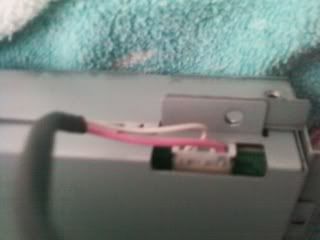
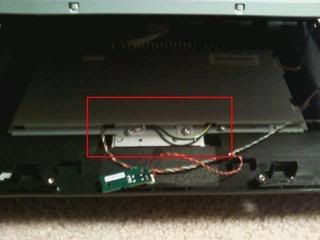
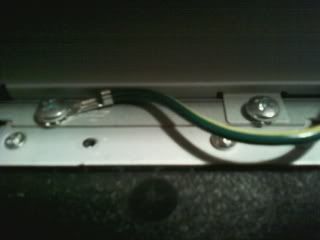
I have been disassembling a LCD monitor for a project and found this wire connected to a screw. By the lines next to it, i think this is a ground wire. Is it OK to remove/should I take any precautions?
zeturi wrote:If you're getting 404'd when trying to use the links in stickies, try this tutorial to find that juicy info.
Thanks. Although I was impatient and did it anyway.
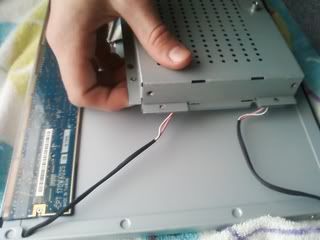
So I got the screen and cage separated from the frame, but I'm having problems taking the cage apart. The cage connects to the screen with a gold ribbon cable (you can kind of see it through my hand) and these two I'm assuming power wires. Can I unplug these wires or should I cut them and reconnect later?
zeturi wrote:If you're getting 404'd when trying to use the links in stickies, try this tutorial to find that juicy info.
Those pink and white pairs are the high voltage connections to the backlight lamps on the LCD, you can just disconnect them, but I don't recommend cutting them. Actually, you shouldn't have to cut anything at all.
Coming Soon: Kibble's L'Ectroshop (parts and stuff FS)
No, you don't need to. It's not a necessary connection, just one to disperse any random charge that the monitor make get while sitting on your desktop.
It takes a big man to cry, but it takes a bigger man to laugh at that man.
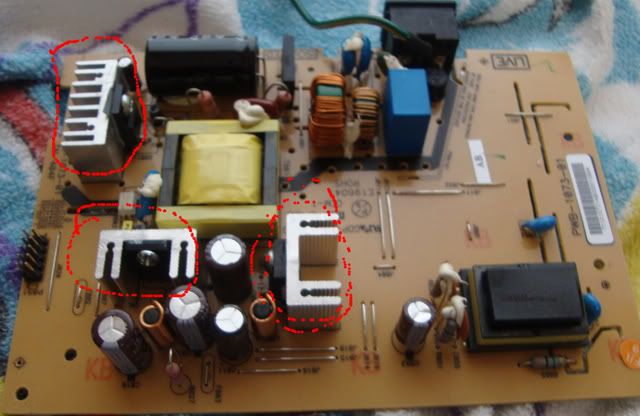
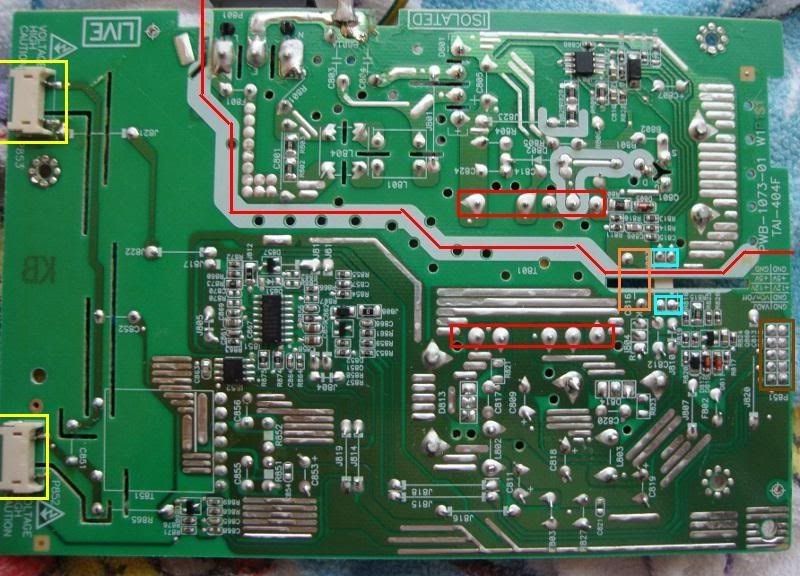
I'm trying to cut the board to get the slim parts in my case, but I don't know where I can cut it. I think the red line is the only place I could cut it, but it runs through a capacitor (orange), an optocoupler (blue) and a transformer (red).
The lamp lines and the power connector for the LCD board are on opposite sides of the board, so I think that's the only line that will work.
Is this board going to be too hard to cut on good line?
zeturi wrote:If you're getting 404'd when trying to use the links in stickies, try this tutorial to find that juicy info.
You do realize that these are the exact same internals as the Gateway that Ben uses on his laptops, right? It's definitely possible to use and shouldn't be too hard.
It takes a big man to cry, but it takes a bigger man to laugh at that man.
collinE wrote:You do realize that these are the exact same internals as the Gateway that Ben uses on his laptops, right? It's definitely possible to use and shouldn't be too hard.
Yeah, just an inverter board. But I've decided to just keep it intact and save the hassle. I don't think cutting would slim it down that much, anyway.
zeturi wrote:If you're getting 404'd when trying to use the links in stickies, try this tutorial to find that juicy info.


 You'll set off the bomb!
  JK, yeah, it's just a ground.