Problem and Question
Moderator: Moderators
-
Designer noob
- Posts: 171
- Joined: Tue Apr 14, 2009 12:12 am
Re: Problem and Question
This belongs in your own thread, but the 3.3v line is how much the N64 needs to be work. 3.1-3.3 volts I believe. I am pretty sure this answers your question.
The N64/GBA Remix
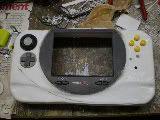
 ............................................................................................................................................. Xbox360 WVI
............................................................................................................................................. Xbox360 WVI-
Designer noob
- Posts: 171
- Joined: Tue Apr 14, 2009 12:12 am
Re: Problem and Question
Well, I hooked everything up and all I get is a white screen. Does that mean my Nintendo 64 is fried?
The N64/GBA Remix
............................................................................................................................................. Xbox360 WVI
............................................................................................................................................. Xbox360 WVI-
ShockSlayer
- Niblet 64
- Posts: 5059
- Joined: Thu Jun 29, 2006 12:47 pm
- Location: In my inbox.
Re: Problem and Question
If your using a psone screen check your ribbon cable.
SS
SS
http://twitter.com/ShockSlayer" onclick="window.open(this.href);return false;
-
Designer noob
- Posts: 171
- Joined: Tue Apr 14, 2009 12:12 am
Re: Problem and Question
When I turned on the power the negative wire leading to the screen came lose and touched the postitive. It was only for a second and it created a spark. The screen doesn't turn on any more. I asked shockslayer if it was fried and he said the fuse just poped. So, I am wondering where are the fuses located on the screen and how do I replace them? Also, how do I bypass the fuse on the screen?
The N64/GBA Remix
............................................................................................................................................. Xbox360 WVI
............................................................................................................................................. Xbox360 WVIRe: Problem and Question
Well perhaps your protection circuit did its job and tripped on the overcurrent.
The protection circuit is NOT a charging circuit, and if you are letting it charge until it trips than YOU ARE DOING IT WRONG. I think you probably have a smart charger anyways, which is fine. You could probably even bypass the protection on charging as the smart charger (which IS a charging circuit) is smart enough not to blow up your batteries. however THIS IS NOT STANDARD PRACTISE AND IS CONSIDERED UNSAFE. EVERYTHING SHOULD BE DONE THROUGH THE PROTECTION
Discharging lithium batteries till they are completely flat is asking for an explosion. What is your strategy for shutting off the system when the batteries get too low? Run it until it shuts off on its own? KABOOM. Ask gamelver. Theres pictures floating around here of a charred and melted gamecube.
Anyways, some protection circuits (like the one on my laptop as I found out the hard way) cant even be reset. Their job is to save your life. If something trips it, the assumption here is that the battery has been damaged and is no longer safe to use, ever. They trip and then you need a new one. Some are just a huge pain to reset. Some reset themselves..
You need to do a lot more battery research. Did you know that when these explode they vent flaming hydrofluoric acid
here watch this.
http://www.youtube.com/watch?v=iBie8VVp ... re=related" onclick="window.open(this.href);return false;
Good luck, dont get hurt.
The protection circuit is NOT a charging circuit, and if you are letting it charge until it trips than YOU ARE DOING IT WRONG. I think you probably have a smart charger anyways, which is fine. You could probably even bypass the protection on charging as the smart charger (which IS a charging circuit) is smart enough not to blow up your batteries. however THIS IS NOT STANDARD PRACTISE AND IS CONSIDERED UNSAFE. EVERYTHING SHOULD BE DONE THROUGH THE PROTECTION
Discharging lithium batteries till they are completely flat is asking for an explosion. What is your strategy for shutting off the system when the batteries get too low? Run it until it shuts off on its own? KABOOM. Ask gamelver. Theres pictures floating around here of a charred and melted gamecube.
Anyways, some protection circuits (like the one on my laptop as I found out the hard way) cant even be reset. Their job is to save your life. If something trips it, the assumption here is that the battery has been damaged and is no longer safe to use, ever. They trip and then you need a new one. Some are just a huge pain to reset. Some reset themselves..
You need to do a lot more battery research. Did you know that when these explode they vent flaming hydrofluoric acid
here watch this.
http://www.youtube.com/watch?v=iBie8VVp ... re=related" onclick="window.open(this.href);return false;
Good luck, dont get hurt.

"Linux is only free if your time is worthless"
-
Designer noob
- Posts: 171
- Joined: Tue Apr 14, 2009 12:12 am
Re: Problem and Question
Well, I can't get two 18 gauge wires on each of the terminals that go through the protection circuit. So, I suck it on different terminals of the battery that give off 8.4 volts. I checked the batteries they are still giving 8.4 volts just the screen doesn't turn on. So, I am pretty sure the batteries are fine? Also, is there a diagram showing were the fuses are located?
Update:
http://forums.benheck.com/viewtopic.php?f=8&t=2278" onclick="window.open(this.href);return false;
the third photo shows you how to power the screen if it comes out blank. If I wire it like so, won't that bypass the fuse? Can't I just take off the black piece and get a new one?
Update:
http://forums.benheck.com/viewtopic.php?f=8&t=2278" onclick="window.open(this.href);return false;
the third photo shows you how to power the screen if it comes out blank. If I wire it like so, won't that bypass the fuse? Can't I just take off the black piece and get a new one?
The N64/GBA Remix
............................................................................................................................................. Xbox360 WVI
............................................................................................................................................. Xbox360 WVIRe: Problem and Question
Yeah you can get a new fuse, from digikey or something. Or you can hack on a large glass fuse if you have one lying around. I dont know what the value should be, maybe like 0.75A, slow blow.
If you bypass the fuse you just have to be more careful because you have no more chances.
You dont have to solder two wires to the terminals, just solder one wire, then solder that wire to two other wires. Or daisy-chain the devices with another wire. Both sides of the protection circuit will be at the same voltage but that doesn't mean its ok to use the unprotected side.... Also 22 gauge wire is fine.
If you bypass the fuse you just have to be more careful because you have no more chances.
You dont have to solder two wires to the terminals, just solder one wire, then solder that wire to two other wires. Or daisy-chain the devices with another wire. Both sides of the protection circuit will be at the same voltage but that doesn't mean its ok to use the unprotected side.... Also 22 gauge wire is fine.
"Linux is only free if your time is worthless"
-
Designer noob
- Posts: 171
- Joined: Tue Apr 14, 2009 12:12 am
Re: Problem and Question
kk, I know I need a 12v slow blow .75amp fuse.
The N64/GBA Remix
............................................................................................................................................. Xbox360 WVI
............................................................................................................................................. Xbox360 WVI-
Designer noob
- Posts: 171
- Joined: Tue Apr 14, 2009 12:12 am
Re: Problem and Question
When I relocate the cartridge slot the wires are very stiff. I have gone to many Radioshack stores and they don't have anything more flexible. I was wondering where you guys bought your wire from to relocate the cart.
Second, where did you guys buy 22 gauge shrinking tube once again radioshack doesn't have any or they come in a assortment.
Second, where did you guys buy 22 gauge shrinking tube once again radioshack doesn't have any or they come in a assortment.
The N64/GBA Remix
............................................................................................................................................. Xbox360 WVI
............................................................................................................................................. Xbox360 WVI-
snowpenguin
- Posts: 1306
- Joined: Thu Jun 11, 2009 4:10 pm
Re: Problem and Question
You can get a large box of heatshrink tubing at Harbor Freight for a couple of bucks, good quality too.
